A hands-on walkthrough of environment setup, speech generation and latency measurement, with a clear path toward managed deployment.
Code repository: github.com/Cristina-Varas/voxtral-tts-oci-data-science
In a voice application, the wait before the first sound matters. A request can take several seconds to finish while delivering usable audio almost immediately. Measuring only the total request time misses that part of the experience.
I explored this with mistralai/Voxtral-4B-TTS-2603 on an OCI Data Science notebook session with one NVIDIA A10. The work covered the inference environment, WAV generation, raw audio streaming, repeatable benchmarks and packaging the model for Model Catalog.
The most useful observation: in the completed long-text experiment, median time to first audio stayed around 0.21–0.22 seconds, including a condition that generated 69 seconds of audio on average.
Those are local client measurements from a small exploratory run. They give us something concrete to investigate, while speech quality and application deployment require further validation.
What this walkthrough covers
The working inference server runs inside an OCI Data Science notebook session. A second terminal, or a Jupyter notebook, sends requests to it over localhost.
| Component | Role in the lab |
|---|---|
| OCI Data Science notebook session | Provides the A10, storage and development environment |
| vLLM-Omni | Loads Voxtral and serves speech generation |
| HTTP client | Receives complete WAV files or incremental PCM audio |
| Benchmark scripts and notebooks | Repeat requests, save samples and calculate metrics |
| Object Storage and Model Catalog | Store and register the packaged model for subsequent deployment work |
Local inference, Arabic streaming and the terminal long-text benchmark completed successfully. English example and benchmark notebooks were also prepared. The model artifact was registered in Model Catalog. A managed Model Deployment and the alternative Conda inference route remain the next phase; neither is reported here as completed.
Voxtral’s model card lists English and Arabic among its supported languages and describes 24 kHz output. It publishes the weights under CC BY-NC 4.0. This is an open-weights release with noncommercial restrictions; check the publisher’s licensing terms for your intended use.
1. Start with the GPU and an isolated workspace
Create an OCI Data Science GPU notebook session, selecting an A10 shape where quota and capacity permit. Give its storage room for the weights, Python packages and output files. Installation needs access to PyPI and Hugging Face.
mkdir -p /home/datascience/tts-voxtral
cd /home/datascience/tts-voxtral
mkdir -p outputs logs benchmarks

nvidia-smi
df -h /home/datascience
The recorded setup was:
| Setting | Observed value |
|---|---|
| GPU | One NVIDIA A10 |
| GPU memory reported | 23,028 MiB |
| Driver | 580.159.04 |
| Python | 3.12 |
| vLLM / vLLM-Omni | 0.28.0 / 0.28.0 |
| Preset voice | casual_male |
| Stream audio | 24 kHz, mono, 16-bit PCM |
| Server workaround | VLLM_USE_FLASHINFER_SAMPLER=0 |
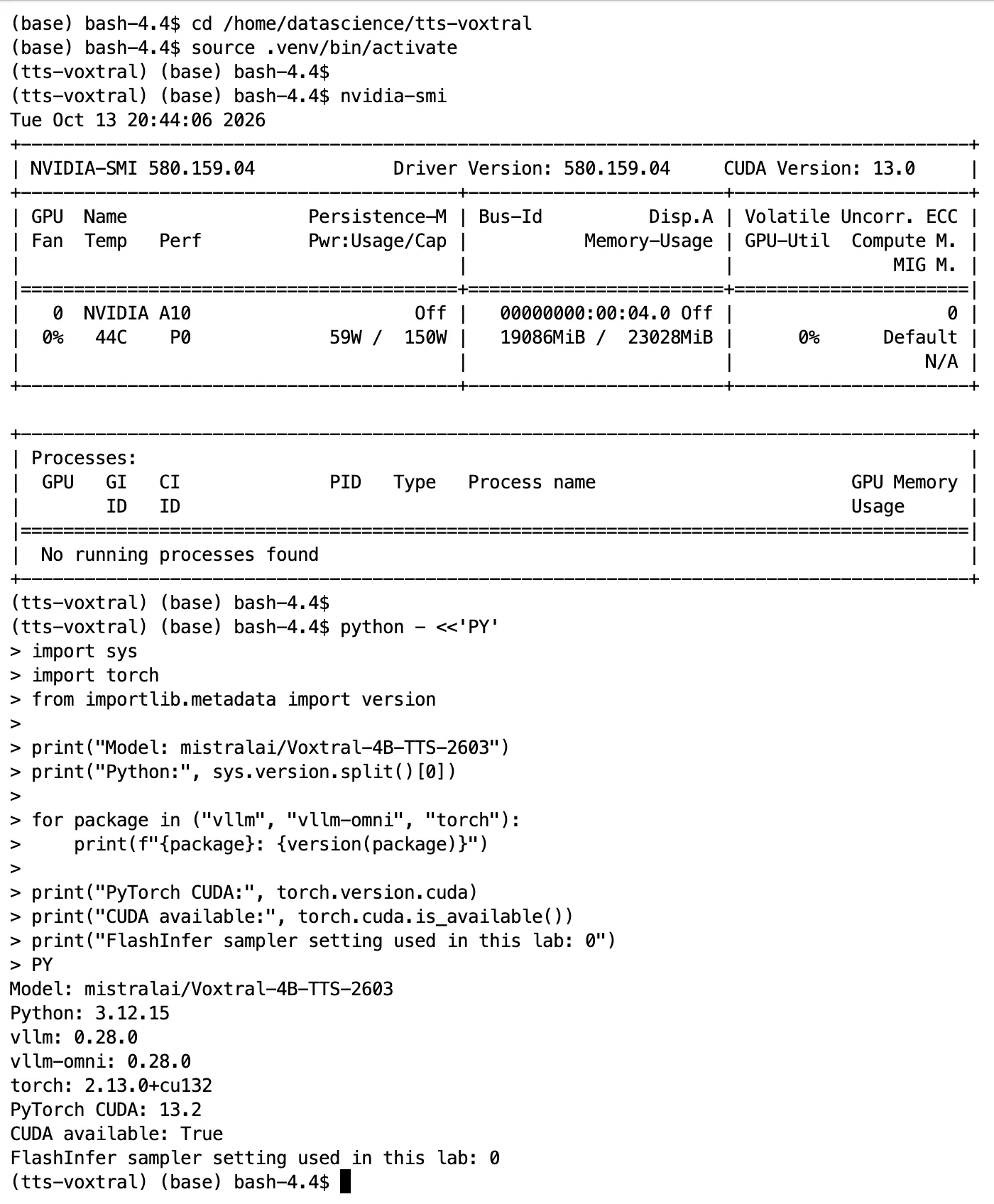
The GPU memory above comes from nvidia-smi. A shape’s host RAM is a different resource. I kept outputs outside cloned source repositories. That makes it easier to update benchmark code without mixing generated audio and result files into the repository.
2. Install matching serving packages
The vLLM-Omni GPU installation guide documents the matching 0.28.0 wheel pair used in this lab. Pinning that pair gives this walkthrough a specific starting point, even as newer releases appear.
python -m pip install --user uv
export PATH="$HOME/.local/bin:$PATH"
uv --version

cd /home/datascience/tts-voxtral
uv venv --python 3.12 --seed .venv
source .venv/bin/activate

uv pip install vllm==0.28.0 --torch-backend=auto
uv pip install vllm-omni==0.28.0
uv pip install httpx soundfile huggingface-hub ipykernel
Check the environment before starting the server:
import sys
import torch
from importlib.metadata import version

print("Python:", sys.executable)
for package in ("vllm", "vllm-omni", "torch", "huggingface-hub"):
    print(package, version(package))

print("PyTorch CUDA:", torch.version.cuda)
print("CUDA available:", torch.cuda.is_available())

if torch.cuda.is_available():
    print("GPU:", torch.cuda.get_device_name(0))
Two fixes that mattered in this session
The first startup issue was an OpenCV import failure involving libGL.so.1. Replacing the OpenCV packages with the headless distribution resolved it in this environment:
uv pip uninstall opencv-python opencv-contrib-python \
  opencv-python-headless opencv-contrib-python-headless

uv pip install opencv-python-headless
python -c "import cv2; print(cv2.__version__)"
Apply that replacement if you encounter the same GUI-library import problem. It is a session-specific fix, not a universal prerequisite for Voxtral.
The second issue occurred during FlashInfer sampler kernel compilation. The local CUDA compiler rejected an option. Setting this before server startup bypassed the failing sampling path:
export VLLM_USE_FLASHINFER_SAMPLER=0The vLLM environment-variable reference describes this switch. It disables the FlashInfer sampler; it does not disable every use of FlashInfer or upgrade the CUDA toolkit. Record the workaround with your results. Also inspect the actual compiler with nvcc --version: the CUDA version displayed by nvidia-smi should not be treated as the installed compiler version.
3. Run the server in Terminal A
cd /home/datascience/tts-voxtral
source .venv/bin/activate

export HF_HOME=/home/datascience/tts-voxtral/hf-cache
export VLLM_USE_FLASHINFER_SAMPLER=0

vllm serve mistralai/Voxtral-4B-TTS-2603 \
  --omni \
  --host 127.0.0.1 \
  --port 8091
Leave this terminal running. The first start downloads the model; later starts can reuse the cache. Environment variables belong to the server process, so setting the sampler flag only in a client notebook will not change a server already running elsewhere.
In Terminal B, check readiness and the served model:
curl --fail --max-time 10 http://127.0.0.1:8091/health
curl --fail --max-time 10 http://127.0.0.1:8091/v1/models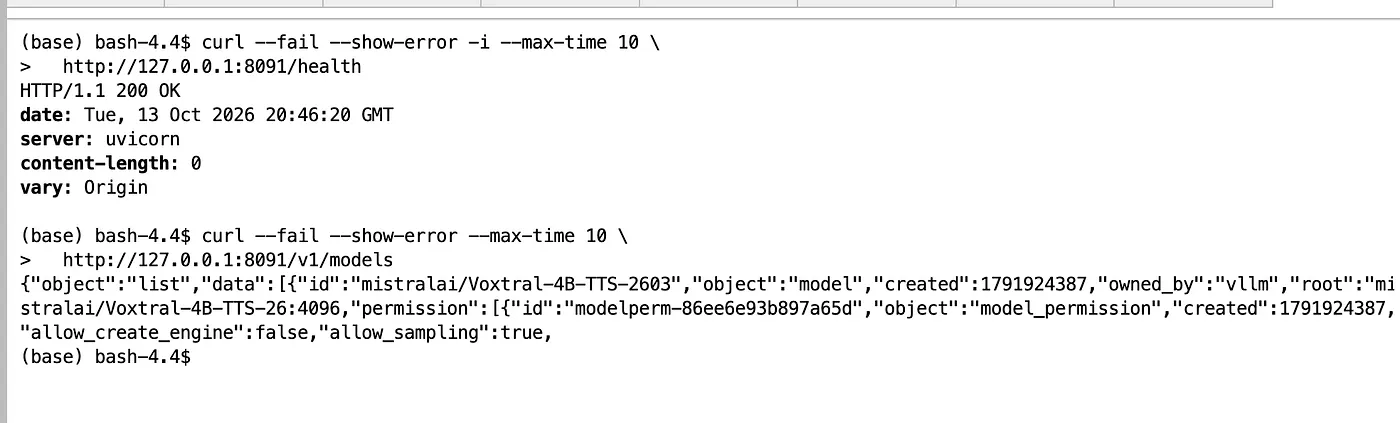
These requests reach a process on the same notebook machine. This localhost endpoint is the lab interface; an application on another machine needs a reachable, authenticated serving endpoint.
4. Generate the first WAV
In Terminal B:
cd /home/datascience/tts-voxtral

curl --fail --show-error --max-time 300 \
  http://127.0.0.1:8091/v1/audio/speech \
  -H 'Content-Type: application/json' \
  -d '{
    "model": "mistralai/Voxtral-4B-TTS-2603",
    "input": "Hello and welcome. This is a text to speech test running on OCI Data Science.",
    "voice": "casual_male",
    "response_format": "wav"
  }' \
  --output outputs/voxtral_en_short.wav \
  --write-out '\nHTTP: %{http_code}\nTotal: %{time_total}s\n'
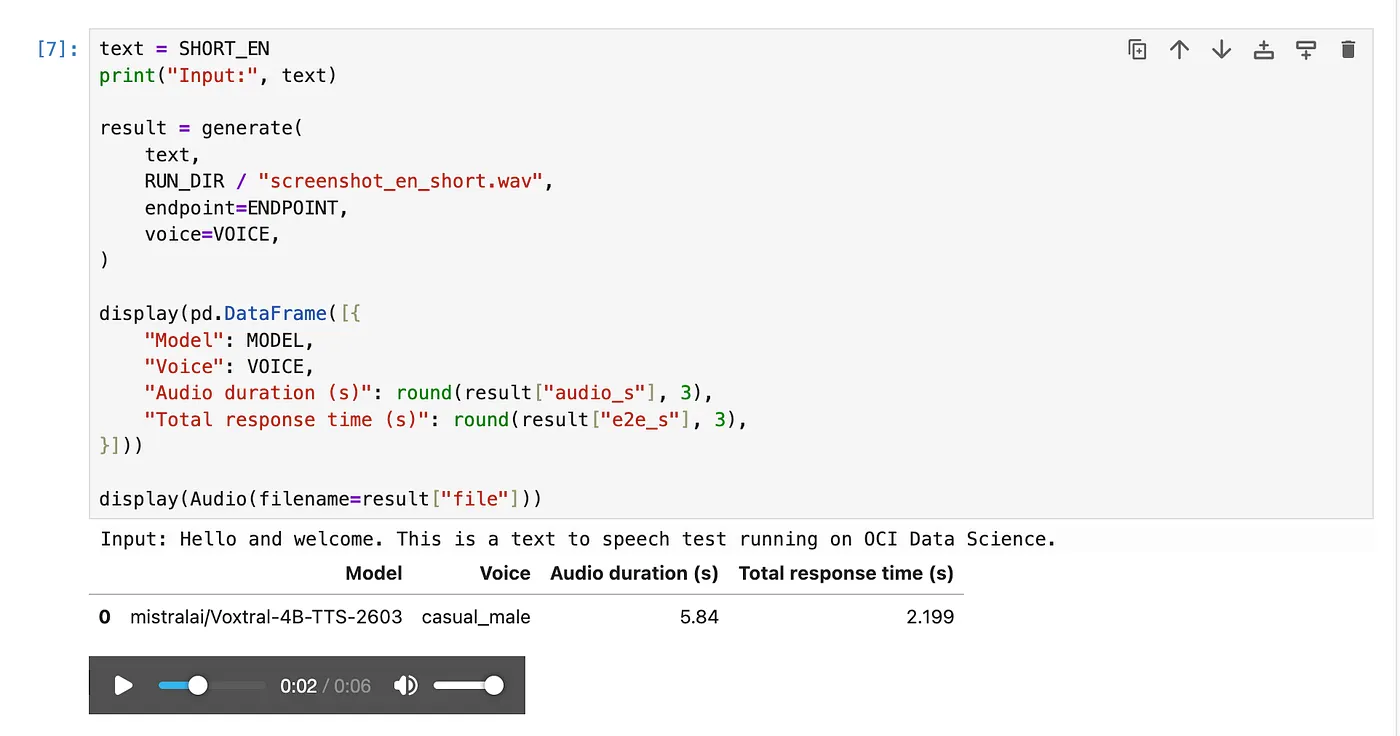
Play it in a notebook cell:
from IPython.display import Audio, display
display(Audio(filename="/home/datascience/tts-voxtral/outputs/voxtral_en_short.wav"))
To try Arabic, replace the input with a short text such as:
مرحباً بكم. هذه تجربة لتحويل النص إلى كلام باللغة العربية.
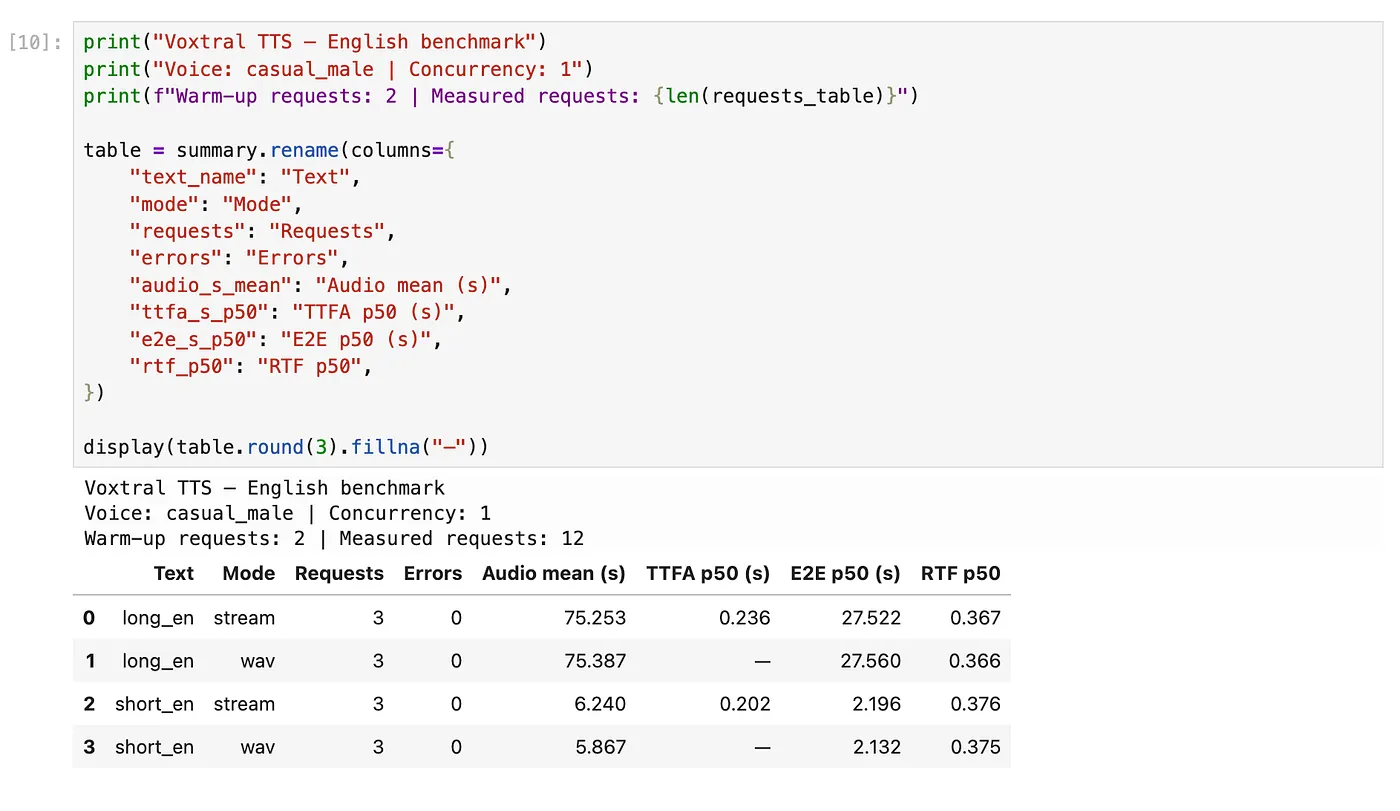
A saved WAV verifies that a request produced playable audio. Listening against the input text is still necessary to check omissions, pronunciation and completion of the final sentence.
5. Measure the first PCM audio block
For latency measurement, I used raw PCM streaming:
payload = {
    "model": "mistralai/Voxtral-4B-TTS-2603",
    "input": text,
    "voice": "casual_male",
    "response_format": "pcm",
    "stream": True,
    "stream_format": "audio",
}
That last field matters. It selects raw audio bytes rather than an SSE event stream.
This standalone example measures reception and wraps the final PCM body in a WAV:
from pathlib import Path
import time
import wave
import httpx

text = (
    "When building a voice application, measure how quickly audio begins "
    "to arrive and listen to the entire response. A fast first block is "
    "useful, but the final sentence still needs to be complete."
)

payload = {
    "model": "mistralai/Voxtral-4B-TTS-2603",
    "input": text,
    "voice": "casual_male",
    "response_format": "pcm",
    "stream": True,
    "stream_format": "audio",
}

pcm = bytearray()
first = None

with httpx.Client(timeout=300.0, trust_env=False) as client:
    start = time.perf_counter()

    with client.stream(
        "POST",
        "http://127.0.0.1:8091/v1/audio/speech",
        json=payload,
    ) as response:
        response.raise_for_status()

        ctype = response.headers.get("content-type", "").lower()
        if "json" in ctype or "text/" in ctype:
            raise ValueError("Expected audio bytes")

        for block in response.iter_bytes():
            if block:
                if first is None:
                    first = time.perf_counter() - start
                pcm.extend(block)

    e2e = time.perf_counter() - start

if not pcm or len(pcm) % 2 or pcm[:4] == b"RIFF":
    raise ValueError("Expected nonempty mono 16-bit PCM")

audio_s = len(pcm) / (24000 * 1 * 2)

output = Path("/home/datascience/tts-voxtral/outputs/voxtral_en_stream.wav")
output.parent.mkdir(parents=True, exist_ok=True)

with wave.open(str(output), "wb") as wav:
    wav.setnchannels(1)
    wav.setsampwidth(2)
    wav.setframerate(24000)
    wav.writeframes(pcm)

print({
    "ttfa_s": first,
    "e2e_s": e2e,
    "audio_s": audio_s,
    "rtf": e2e / audio_s,
})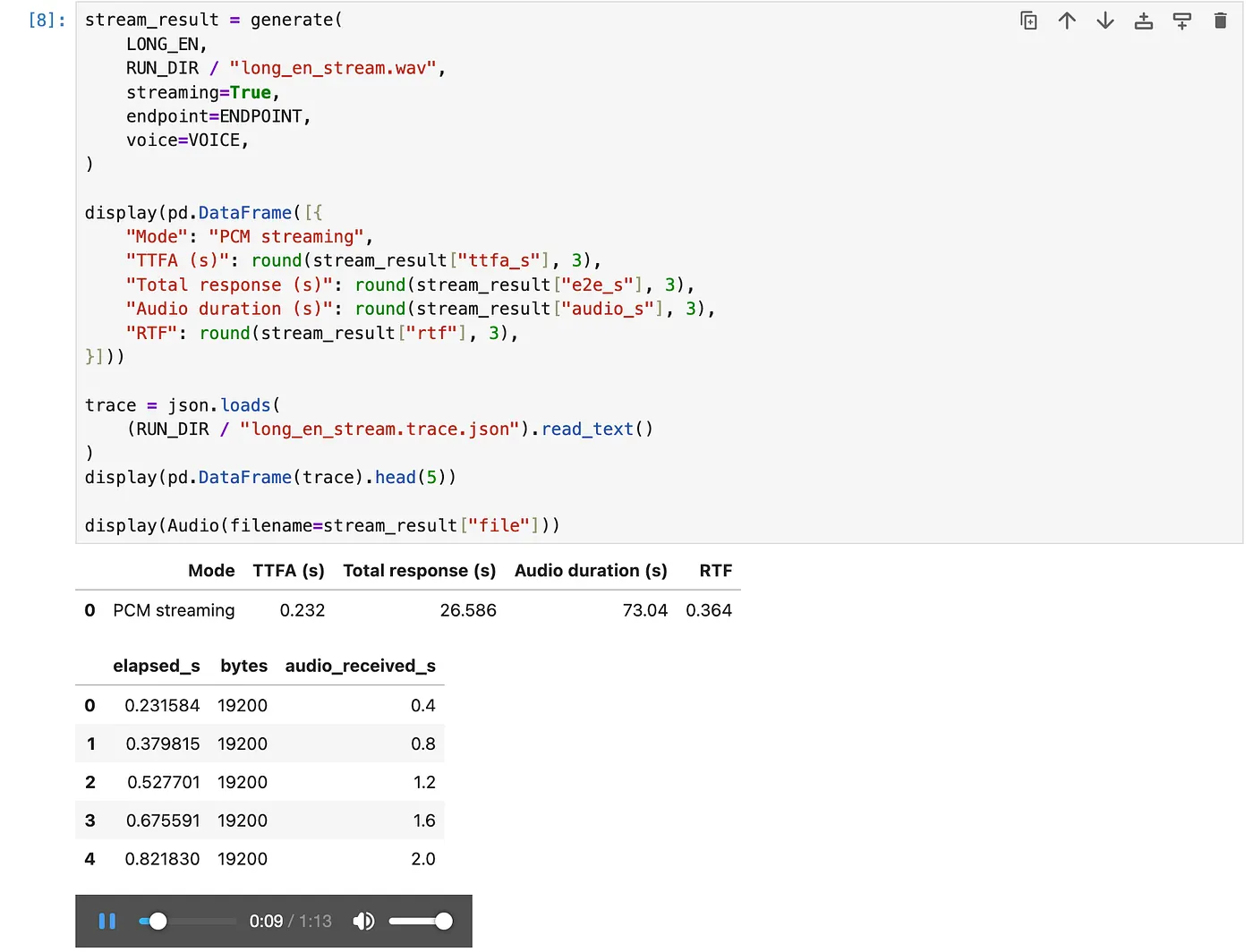
The PCM interpretation is specific to this lab: 24 kHz, mono, 16-bit samples. Adjust it for a model with a different format.
TTFA here means the first received nonempty PCM block. It does not measure the first audible speech sample. Network blocks are also not model codec frames. The example saves the audio for playback after reception finishes; a live player would additionally need buffering and playback timing.
6. Read the benchmark with the workload attached
The completed long-text run on 6 October 2026 used Arabic sample text, casual_male, one A10 and the disabled FlashInfer sampler. It excluded two warm-up/calibration requests and measured three repetitions for each condition: four duration targets in two modes, for 24 measured requests.
The targets were converted to text lengths using warm-up calibration and sentence boundaries. Actual audio length therefore differed from the target.
| Mode | Target (s) | Mean audio (s) | TTFA p50 (s) | E2E p50 (s) | RTF p50 |
|---|---|---|---|---|---|
| Stream | 15 | 19.4 | 0.21 | 6.70 | 0.37 |
| Stream | 30 | 32.9 | 0.22 | 11.96 | 0.38 |
| Stream | 45 | 50.7 | 0.22 | 19.18 | 0.37 |
| Stream | 60 | 69.0 | 0.22 | 26.50 | 0.37 |
| Chunked | 15 | 22.1 | 2.99 | 7.94 | 0.38 |
| Chunked | 30 | 38.3 | 3.27 | 14.03 | 0.37 |
| Chunked | 45 | 56.7 | 3.14 | 21.32 | 0.38 |
| Chunked | 60 | 78.4 | 2.94 | 29.88 | 0.37 |
Source: my completed terminal benchmark, run Voxtral_A10_noFI_long_20261006-101318. All 24 measured requests completed without client-reported errors. These measurements were not rerun while preparing this article.
The metrics answer different questions:
- TTFA: how long the client waits for the first audio block.
- E2E: how long it takes to receive the full response.
- RTF: request E2E divided by generated audio duration, using the lower-is-better convention. A value below one means the full clip arrived in less time than its playback duration.
In the table, audio duration is a mean; E2E and RTF are medians. Dividing the displayed E2E median by mean duration will not necessarily reproduce the median per-request RTF.
“Chunked” in this experiment means client-side text segmentation with sequential requests for complete audio segments. Its first-audio time includes waiting for the first complete segment. That explains why its roughly three-second TTFA should be interpreted differently from native PCM streaming.
The streaming result was encouraging: first-audio latency stayed close to 0.22 seconds as the input grew. The experiment does not establish multi-user capacity or prove that all long samples maintain their pronunciation and naturalness. Three repetitions also provide little information about rare latency spikes.
Repeating the experiment in a notebook
The companion notebook generates short and long English examples, displays WAV playback and runs an optional repeated WAV-versus-streaming test. It saves input text and actual durations alongside the timing metrics.
Its English texts and test matrix differ from the Arabic benchmark above. Use it to collect your own measurements; reproducing the original table requires the original input texts, benchmark revision and server settings. The original benchmark’s bundled coffee text label does not establish a Saudi-dialect evaluation.
One practical lesson from reviewing saved notebooks: a cell containing a few progress rows is not evidence that the whole benchmark completed. A later uploaded snapshot contained an unfinished long-text cell. I kept the completed terminal run as the long-duration result instead of combining partial and complete runs.
7. Turn successful audio into a useful evaluation
The next tests should cover:
- Listening to full clips, especially after the first 15 seconds and at the ending.
- Checking omissions, repetitions, pronunciation and voice consistency against the source text.
- Validating Modern Standard Arabic and Saudi dialect separately with appropriate texts and reviewers.
- Transcribing samples to calculate WER/CER, while accounting for errors introduced by the transcription model itself.
- Measuring overlapping requests and longer runs to understand throughput and latency variation.
These checks were still pending in the evidence used for this article. English examples were prepared for review, but no completed English benchmark table or reviewer findings are reported here.
8. The step from notebook inference to Model Deployment
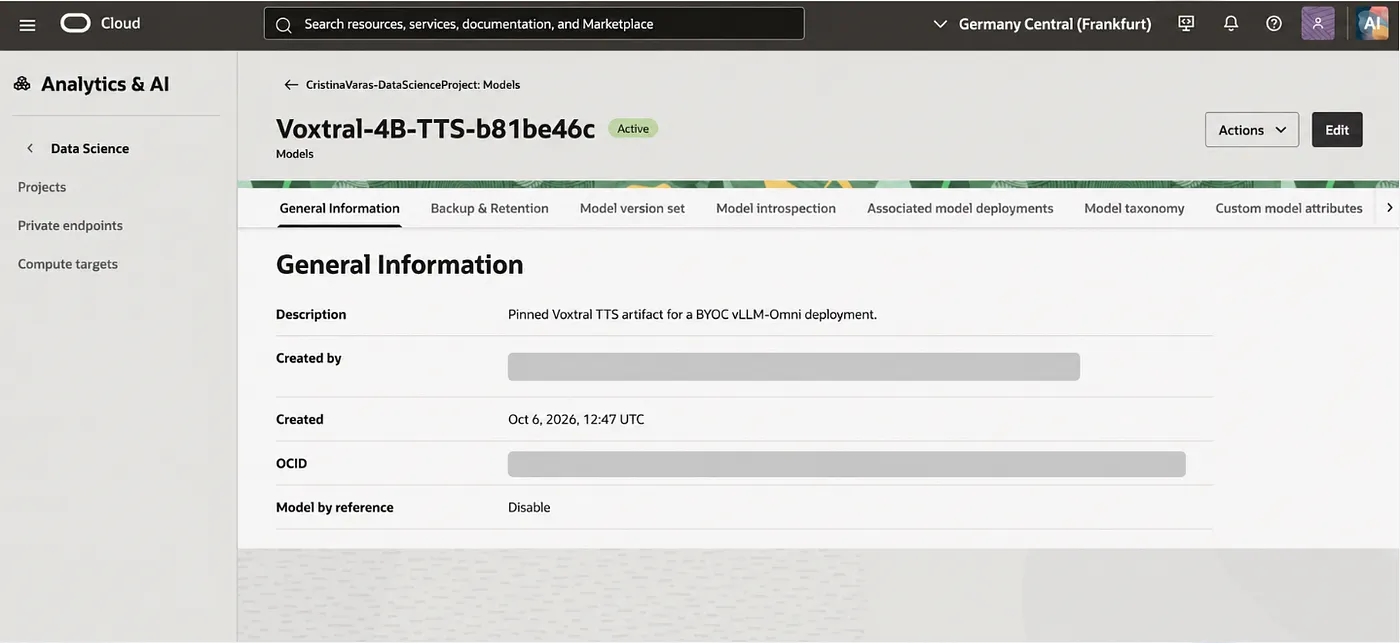
The packaging work produced an approximately 7.49 GiB model artifact, which was registered in OCI Model Catalog. A later packaged snapshot was pinned to revision b81be46c3777f88621676791b512bb01dc1cb970; the original benchmark logs available for this article do not independently establish that same revision for the earlier serving process.
Registration gives us a stored model artifact. A deployment also needs the environment and inference code that load it. It does not inherit the notebook’s running server or .venv automatically.
| Approach | What must be supplied |
|---|---|
| Conda runtime | A published inference environment and an artifact with score.py and runtime.yaml |
| Bring Your Own Container | An OCIR image with the inference dependencies and /health and /predict interfaces |
I prepared container source and an ADS deployment notebook, then explored the Conda route to keep preparation inside Data Science. OCI supports publishing Conda environments to Object Storage. Voxtral compatibility, startup and streaming through that route still need validation. The existing weights-only artifact also needs the appropriate inference files for a Conda deployment.
A notebook-only preparation workflow can therefore be investigated through Conda, while the managed inference endpoint remains a separate Model Deployment resource. DevOps can automate a container build, but is optional for creating the deployment itself.
For an application endpoint, the remaining work includes runtime compatibility, GPU capacity, startup checks, resource permissions and private connectivity. HTTP response streaming must be tested end to end through the chosen runtime and /predictWithResponseStream.
Keep enough evidence to repeat the result
Before changing versions or comparing another model, save the environment and server configuration:
cd /home/datascience/tts-voxtral

nvidia-smi > logs/nvidia-smi.txt
.venv/bin/python -m pip freeze > logs/inference-packages.txt

cat > logs/serving-settings.txt <<'EOF'
model=mistralai/Voxtral-4B-TTS-2603
vllm=0.28.0
vllm-omni=0.28.0
voice=casual_male
VLLM_USE_FLASHINFER_SAMPLER=0
host=127.0.0.1
port=8091
EOF
Also retain the model revision, client/benchmark code version, input texts and audio files. When comparing models or configurations, match the hardware and workload and report the actual generated duration.
My next milestone is to validate the long samples with reviewers and complete the managed deployment path. The A10 notebook has already provided a useful environment for finding dependency issues, exercising the speech API and measuring how audio arrives. It gives the deployment work a tested local starting point.
Happy coding, as always! If you’d like to keep up with my latest projects, technical experiments, and thoughts on AI, Data Science, and Oracle technologies, you can follow me on LinkedIn. You can also find all my articles and longer technical write-ups on my personal website 🙂
Lab measurements: 6 October 2026. Documentation checked: 13 October 2026. Companion examples contain empty notebook outputs and require a running local Voxtral server.